For restaurants & cafés
Every service,
prep to close.
Open, close and prep checklists by station and shift, with photo proof and manager sign-off — so every service runs the same way, and you have the record to show for it.
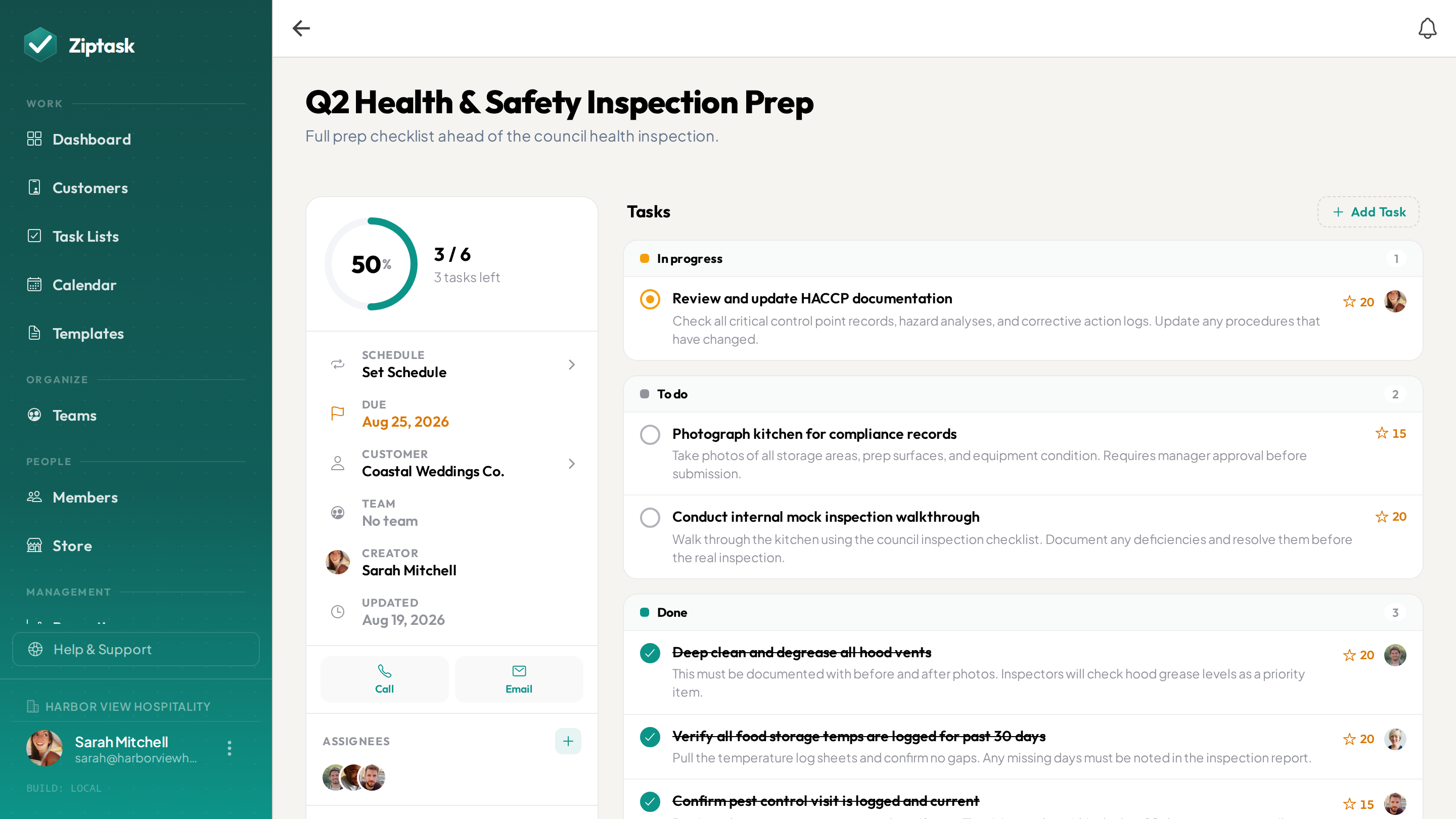
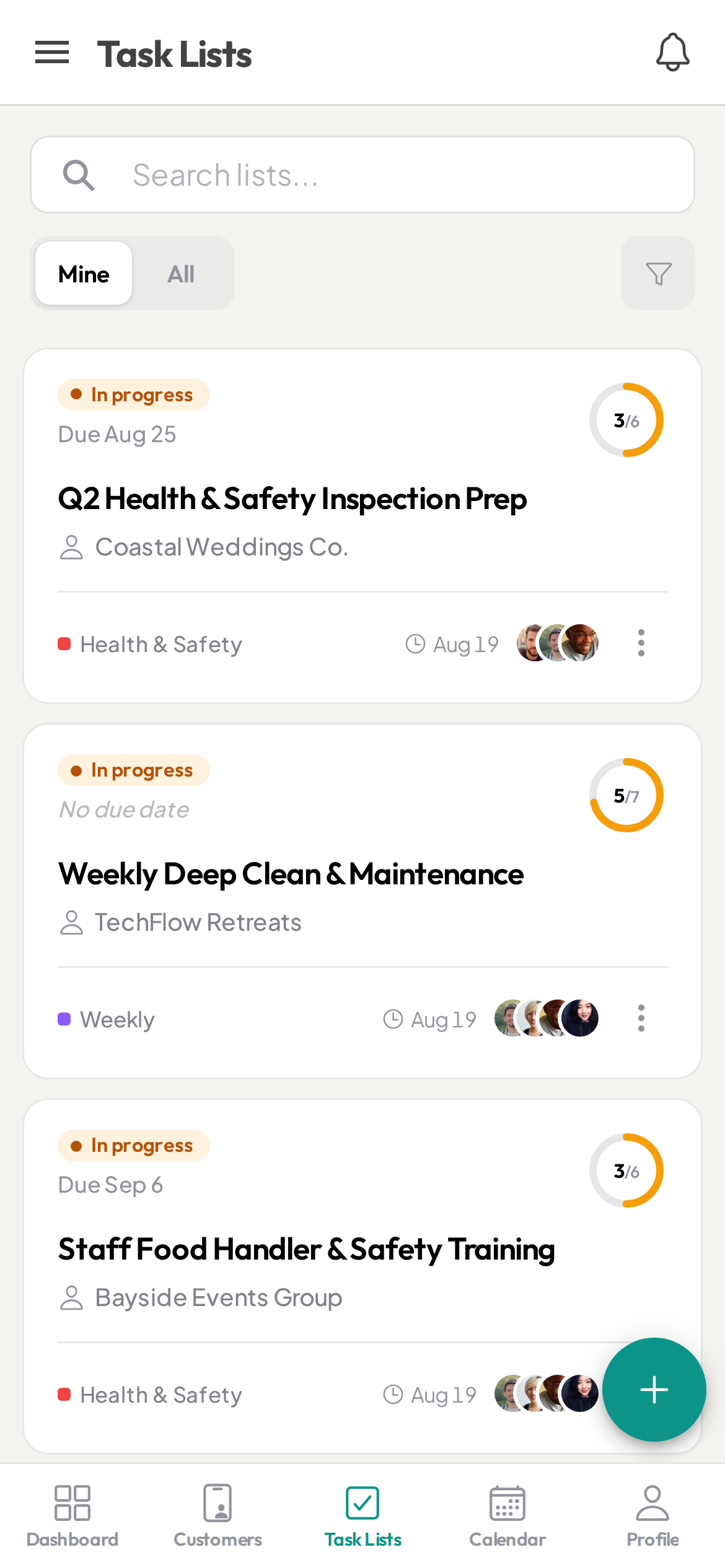
Prepped at eleven. Cleaned at close. Says who?
- Prep and open run from memory — and it shows the day a new starter is on
- The closing clean gets rushed, and no one can say what actually got done
- A manager walks in to a station that was never reset, and finds out too late
- The cleaning schedule is a laminated sheet by the pass that nobody initials
- A second site, and no way to tell which one finished the open
Everything a shift needs — nothing it doesn’t
Start free, then unlock more as you scale. see pricing.
Open, close and prep that rebuild themselves
StarterSet each shift’s routine once and Ziptask spawns a fresh copy on your schedule — daily, or only the days you open. The line checks are waiting when the first cook clocks in; the closing list appears for the night crew.
A photo before the task closes
StarterRequire a photo before a cleaning or prep task can be submitted — a wiped-down station, a dated container, a scrubbed fryer — so it’s evidenced, not just ticked. The record keeps the photo attached.
Manager sign-off before it counts
StarterMark the tasks that need a check. The closer submits and a manager approves before the shift is signed off — for the steps you’d want a second pair of eyes on before the lights go out.
A template for each area and shift
StarterTerrace, dining room, bar; midday and night. Save the checklist once and start a fresh list from it in a tap, so every station runs the same way whoever is on.
The next shift takes over the same list
Clocking off with tasks still open? Add the next shift’s person as an assignee and they pick up the very same list where it stands — the open items already there, nothing re-explained verbally at the pass.
Every site, its own lists
ProGive each location its own team. Staff see their own café’s lists and nobody else’s, while you see which sites finished the open and which didn’t — from your phone.
Cost out a catering job or event
ProGroup the prep, setup, service and breakdown lists for a private event or catering order into one job. Ziptask adds up the staff time — as an estimate — and the expenses, so you can see what the event costs to deliver. It tracks cost, not revenue.
A record you can show an inspector
ProEvery completed task is kept with who did it, when, and any photos attached. On Pro you can export the full history to CSV — a record of what was cleaned and when, ready when someone asks.
Speak the prep list instead of typing it
ProWalk the kitchen and say the prep out loud; Ziptask turns it into a structured, checkable list — quicker than thumbing it in on the line.
Open, run, close
Set each shift once
Build your open, close and prep lists from a template — or dictate them walking the kitchen. Set them to repeat, and assign each to the right station, shift or site.
The crew works it on shift
The list is on their phone when the shift starts. Cooks and floor staff tick items as they go, add a photo where one is required, and submit. Completions show live across every site you run.
Sign off, and keep the record
A manager approves whatever needs approving, and every completion is stored with a name and a timestamp — ready to pull up when an inspector or head office asks.
Restaurants & cafés FAQ
Can I require a photo before a task is marked done?
Yes. On any task you can require a photo or document before it can be submitted, and add a manager approval step before it officially closes — so a cleaned station or a dated container is evidenced, not just ticked off.
Does the open, close and prep routine repeat every shift?
Yes. Save each routine as a template and set it to repeat, and a fresh copy appears on your schedule — every day, or only the days you open. Staff open the app at the start of a shift and the list is already there.
Can different stations or sites have their own lists?
Yes, on the Pro plan. Create a team for each location or area and assign its lists to that team. Staff see their own site, while you and your managers keep visibility across all of them.
Is this a food-safety or HACCP system? Does it log temperatures?
No. Ziptask is a checklist, proof and accountability tool — not a food-safety certification or HACCP system. A temperature or hygiene step is a photo-and-comment check, not a structured numeric reading, and Ziptask does not do sensor logging, alerting or compliance sign-off. What it gives you is a timestamped record of what was checked and when, exportable to CSV on Pro, that you can show an inspector.
Does it do POS, inventory or ordering?
No. Ziptask does not integrate with a till, hold stock counts, or place orders. It covers the routines around the service — open, close, prep, cleaning, station resets — and keeps a record that they were done. Use it alongside whatever you already run for POS and stock.
Can it schedule staff shifts or build rotas?
No. Ziptask assigns tasks, not shifts. It does not build rotas, track hours or handle labour costs. Staff simply pick up the list for the shift they are on; keep using your existing tool for scheduling.
Can I use it for catering jobs or private events?
Yes, on the Pro plan. Group the prep, setup, service and breakdown lists for an event into one job, and Ziptask totals the staff time as an estimate plus any expenses so you can see what the job costs to deliver. To be clear: it tracks cost, not revenue or margin — there is no invoicing or pricing side.
Does it work on staff phones in the kitchen?
Yes — Ziptask has native iOS and Android apps plus a web app, with real-time sync and push notifications. Staff keep ticking items even with a poor connection and it syncs when they are back in range; uploading a photo needs a connection.
How much does it cost?
Ziptask is free to start. Paid plans add photo proof, approvals and recurring lists (Starter), a team per site, catering job costing, speech-to-list and the exportable activity record (Pro).