For construction
Run every jobsite
from your phone.
Daily safety checks, punch lists, and photo-verified sign-offs — so you know the work got done right, without chasing anyone down.
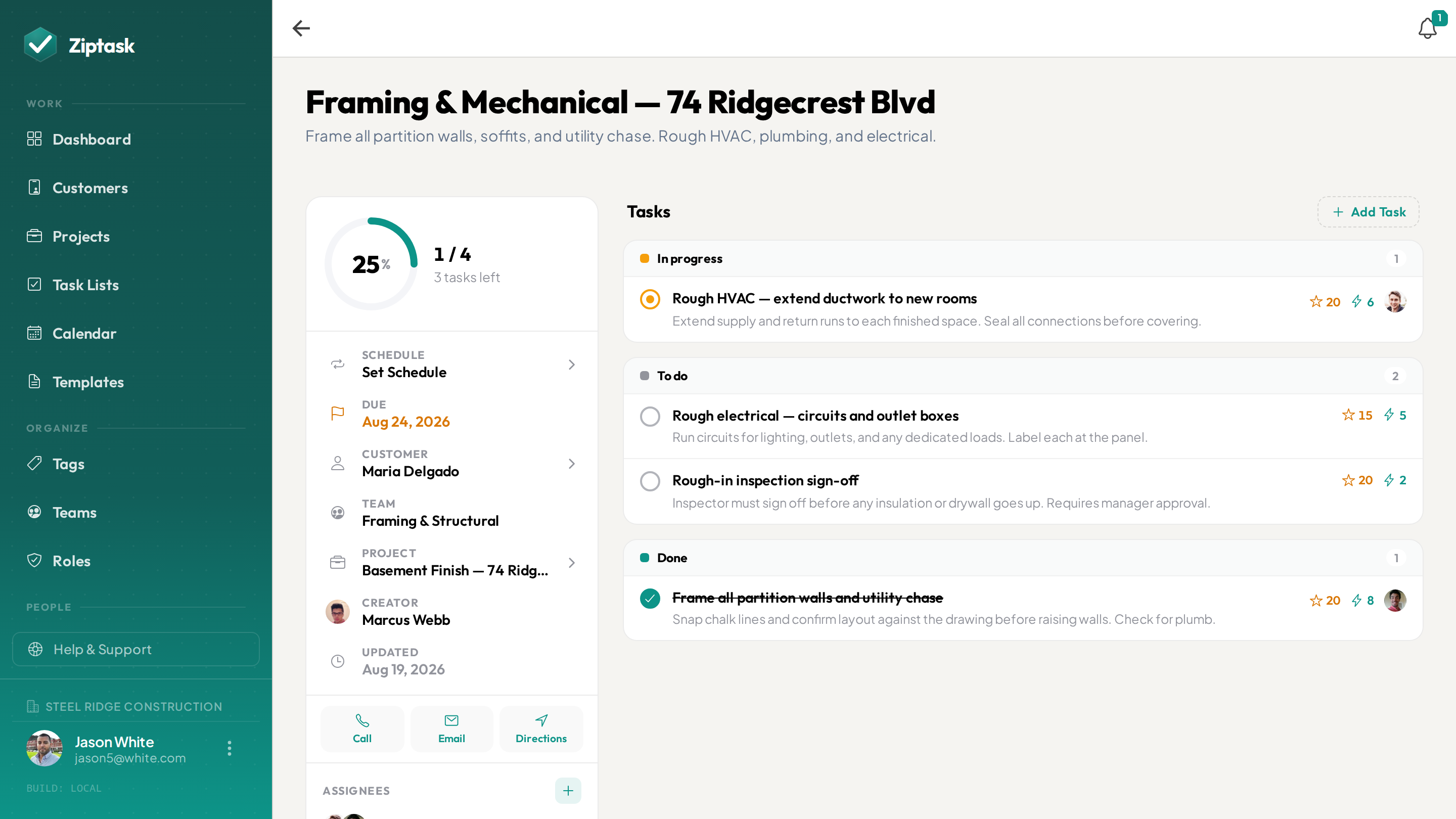
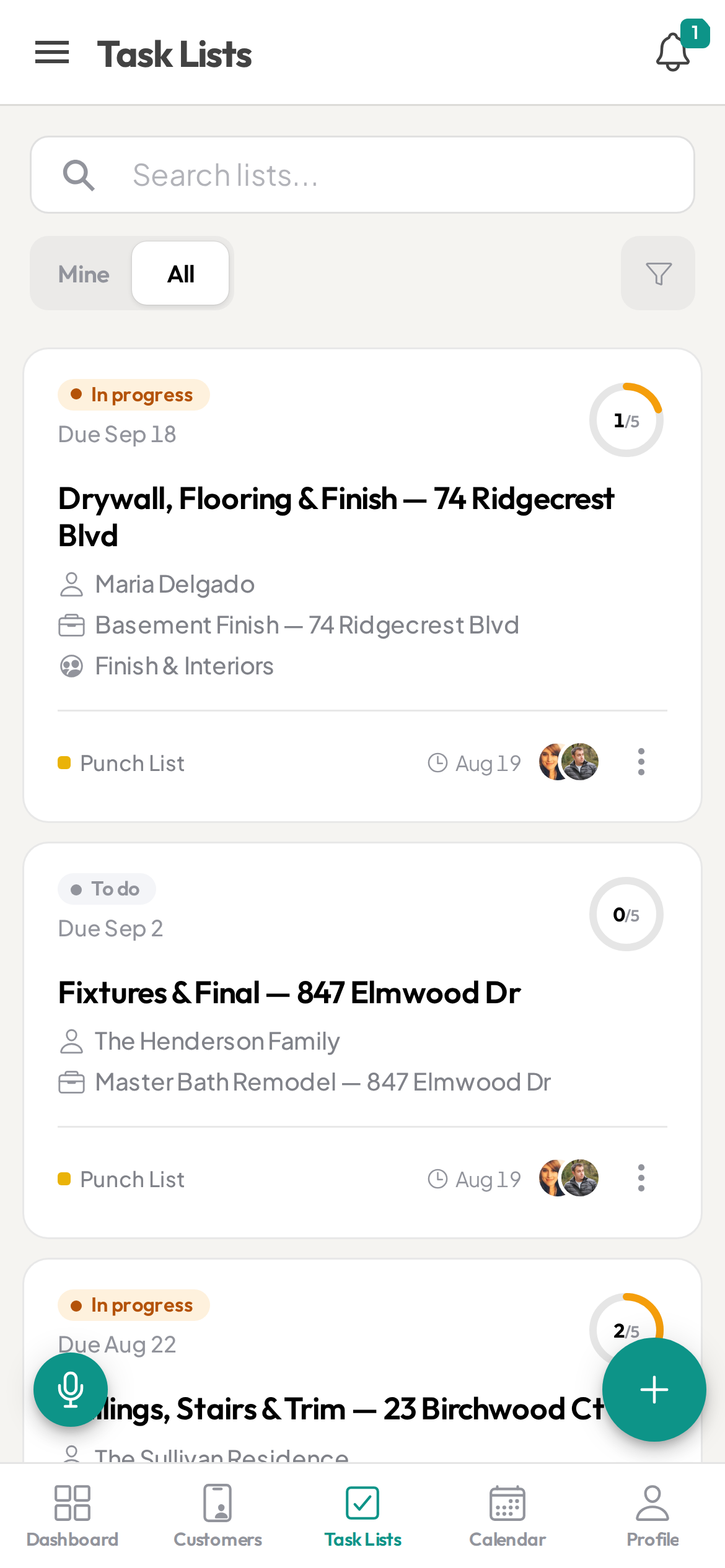
The job got done. Probably. You think.
- Punch lists buried in group texts and whiteboards
- Safety checks on paper — or skipped entirely
- No proof the work was actually done right
- Subs and crews you can’t keep accountable from the office
- Scrambling for documentation when there’s a dispute
Everything a jobsite needs — nothing it doesn’t
Start free, then unlock more as you scale. see pricing.
Photo proof before sign-off
StarterRequire a jobsite photo or document before a crew member can submit a task. No more “it’s done” with nothing to show for it — you get visual proof on every item.
PM / foreman approval
StarterAdd a sign-off gate so a task only closes after a foreman or PM approves it. Two layers of accountability without a heavyweight inspection platform.
Daily safety checks that repeat
StarterBuild your morning safety walk or toolbox-talk checklist once, set it to repeat, and Ziptask spawns a fresh copy every day with every item reset. History is always preserved for compliance.
Punch lists assigned to subs
Turn a walkthrough into a punch list in minutes, assign items to the right crew or sub, and watch them close out in real time across every device.
Standardized job checklists
StarterSave your closeout, inspection, and phase checklists as templates so every job starts from the same proven steps — no rebuilding from scratch.
A team for each crew
ProAssign each list to a team, and the crew on that team sees it — one team per crew. PMs and admins see everything across the company.
See a job’s progress in dollars
BusinessSet a rate per effort point and group a job’s lists under a project — Ziptask turns completed points into estimated vs. earned value, so you can see how far along a job is in dollar terms. It’s a points-based progress estimate, not job-cost accounting — it doesn’t track materials, labor, or invoices.
Dictate a list from the field
BusinessStanding in the dust with gloves on? Speak the day’s tasks aloud and Ziptask builds a structured, assignable list — no typing.
A full audit trail
BusinessEvery action on every list and item is logged with timestamps and who did it — your record for disputes, warranties, and inspections. Export to CSV.
No wifi on site? No problem
New builds and remote sites rarely have signal. Crews keep working their punch lists and checking off items with no connection — everything syncs the moment they’re back in range.
From the morning walk to sign-off
Build the day’s lists
Spin up the safety walk, punch list, and phase tasks from templates — or dictate them on the spot. Assign each list to the right crew.
Crews work from their phones
Workers pick up items, snap the required photo, and submit. Progress shows up live for the PM — no calls, no “did you finish?” texts.
You sign off with proof
Review submissions with their photos, approve or kick back, and keep a permanent, exportable record of exactly what was done and when.
Construction FAQ
Can I require a photo before a task is marked done?
Yes. On any task you can require a photo or document before it can be submitted, and add a foreman/PM approval step before it officially closes.
Does it work on phones out in the field?
Yes — Ziptask has native iOS and Android apps plus a web app, with real-time sync and push notifications so the office and the field stay in step.
Can I reuse the same checklist on every job?
Yes. Save your safety, inspection, and closeout checklists as templates and start any new job pre-populated with your standard steps. Recurring lists handle daily/weekly safety walks automatically.
Can different crews see only their own work?
Yes. Create a team for each crew and assign lists to it. The crew on a team sees its lists, while PMs and admins see everything across the company.
Can I see a job’s progress in dollars?
Yes, on the Business plan. Set a rate per effort point and group a job’s lists under a project; Ziptask shows estimated vs. earned value as work gets done. It’s a points-based estimate of progress — not full job-cost accounting, so it doesn’t track materials, labor hours, or invoices.
What is the best punch list and checklist app for construction?
The right tool lets you reuse standardized punch lists and closeout checklists, require photo or document proof before a task closes, add a foreman or PM approval step, and scope work to each crew using teams. Ziptask does all of this on iOS, Android, and web, and is free to start.
Can I run and document daily safety walks?
Yes. Recurring lists generate daily safety walks and toolbox-talk checklists automatically, require a photo, and keep a timestamped record that you can show for compliance.
How much does it cost?
Ziptask is free to start. Paid plans (Starter, Pro, Business) add photo proof, approvals, recurring lists, teams, project value tracking, and more as your operation grows.