For delivery & distribution
Every route the same.
Every stop with proof.
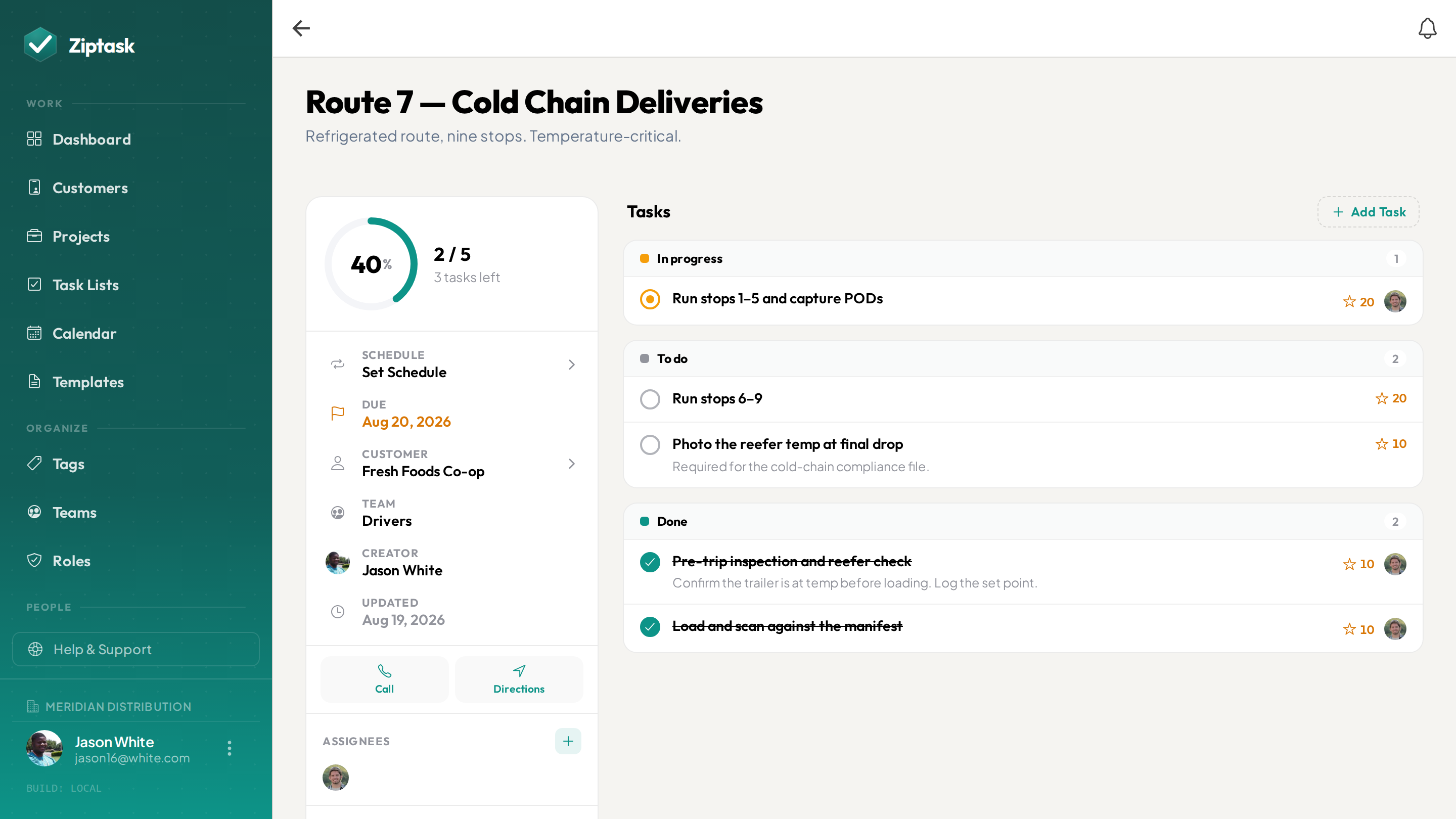
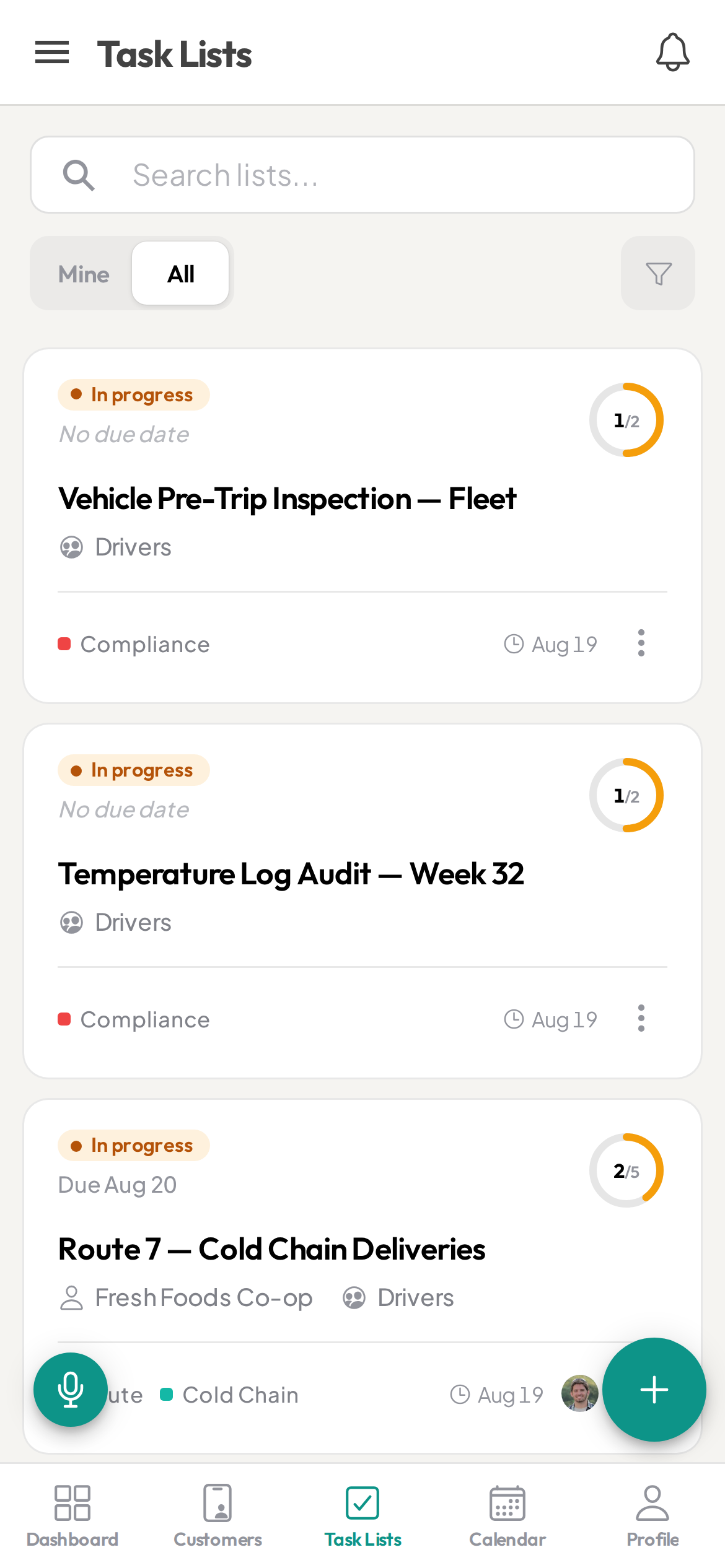
Recurring route checklists, photo proof of delivery and cold-chain checks, and every stop tied to the customer — tap to call, tap for directions. Watch each stop get checked off from the office in real time.
The route ran. Can you prove every stop held up?
- Route sheets and delivery notes scattered across texts, paper, and memory
- No proof a delivery was made or a cooler was actually checked — just “he-said, she-said”
- Temperature and food-safety logs on a clipboard, if they’re kept at all
- Drivers out on routes you can’t see until they’re back at the dock
- Every driver runs the stop a little differently
Everything a delivery team needs
Start free, then unlock more as you scale. see pricing.
Standardized route & stop checklists
StarterSave your delivery, receiving, and opening/closing checklists as templates so every route and every stop runs the same proven way — whoever’s behind the wheel.
Reminders before a job is due
Remind a driver before a route is due, or the warehouse a day ahead of a big load — by push and in-app, to everyone on the list or just specific people.
Runs on your calendar
Each run's date shows up in your calendar app automatically — plan the week without switching tools.
Proof of delivery & temperature
StarterRequire a photo before a stop is done — the delivered order, or the cooler and freezer gauge — so every stop ends with proof for a dispute or your food-safety records. Drivers can note the reading in a comment.
Daily routes & cold-chain checks on schedule
StarterSet recurring lists for daily routes, cooler and freezer temperature checks, and opening/closing — Ziptask regenerates each one automatically so nothing gets skipped.
Every stop tied to the customer
Attach the customer to a stop and your driver taps to call ahead, taps the address for turn-by-turn directions, or taps to email — contact and navigation straight from the checklist, no second app.
Sign-off before a route closes
StarterRequire a lead to review and approve before a route or shift is marked done — catch the missed stop or skipped cooler check before the customer does.
Dispatch routes to the right driver
Assign a route checklist to a driver and watch it move through to done in real time from the office — no end-of-day status calls.
Routes, zones & warehouse crews
ProScope work by route, delivery zone, or warehouse team. Drivers see only their stops; dispatch and managers see the whole board.
Keep your best drivers
ProPoints and a weekly leaderboard recognize the drivers who run clean, on-time routes — a low-cost edge in a tight labor market.
A record of every stop & temp check
BusinessA timestamped record of every delivery, check, and sign-off — a full history on each customer’s page, plus CSV export of your activity log. Your backup for food-safety records and delivery disputes.
Keeps working when the signal drops
Loading docks, walk-in coolers, rural routes — pull up the route checklist you’ve opened and keep checking off stops with no connection; changes sync the moment you’re back in range. (Capturing photos and temperature checks needs a signal.)
Run every route the same way
Build the route
Assemble the day’s stops from a template — each tied to its customer — and assign it to the driver in seconds.
Driver runs the route
They work the stops, tap to call or navigate, snap proof-of-delivery and temperature photos, and submit from their phone. Progress shows live for dispatch.
Close with proof
A lead signs off, and you keep a record of every stop, temperature check, and delivery — for your food-safety records, disputes, and tomorrow’s route.
Delivery & distribution FAQ
Can drivers prove a delivery was actually made?
Yes. Require a photo before a stop can be submitted, with a lead sign-off before the route closes — so every delivery ends with evidence for the customer and your records.
Can drivers capture cooler and freezer temperature checks?
Yes — add a temperature check as a checklist item that requires a photo, so the driver photographs the cooler or freezer gauge and can note the reading in a comment. On a recurring daily list, that becomes a timestamped, photo-backed record instead of a clipboard. Ziptask captures the photo and the note — it isn’t a numeric temperature-logging or alerting system.
Can drivers get directions and call customers from the app?
Yes. Attach the customer to a stop and the driver taps the address for turn-by-turn directions, taps to call ahead, or taps to email — right from the checklist, no separate app.
Does it work out on the route?
Yes — native iOS and Android apps plus a web app, with real-time sync. Drivers can dictate a list by voice, and a route you’ve opened keeps working offline: check-offs queue and sync when you’re back in range, while photos and temperature checks upload once there’s a signal.
Can I schedule daily routes and recurring checks automatically?
Yes. Recurring lists auto-generate daily routes, temperature checks, and opening/closing shifts on the schedule you set — daily, weekly, biweekly, or monthly — with items reset each time.
Can drivers only see their own routes?
Yes. With teams you scope work by route, zone, or warehouse crew — drivers see only their assigned stops, while dispatch and managers see everything.
What is the best app for a delivery or distribution business?
Look for reusable route and stop checklists, photo proof of delivery and temperature checks before a stop closes, recurring daily routes, each stop tied to the customer for one-tap call and directions, and a full delivery history. Ziptask covers all of these on iOS, Android, and web, and is free to start.
How much does it cost?
Ziptask is free to start. Paid plans (Starter, Pro, Business) add photo proof, recurring routes, teams, driver rewards, and a full delivery history as you grow.