For store operations
Every shift,
open to close.
Opening and closing checklists, cleaning schedules with photo proof, and supervisor sign-off — so every store runs the same way, and you have the record to show for it.
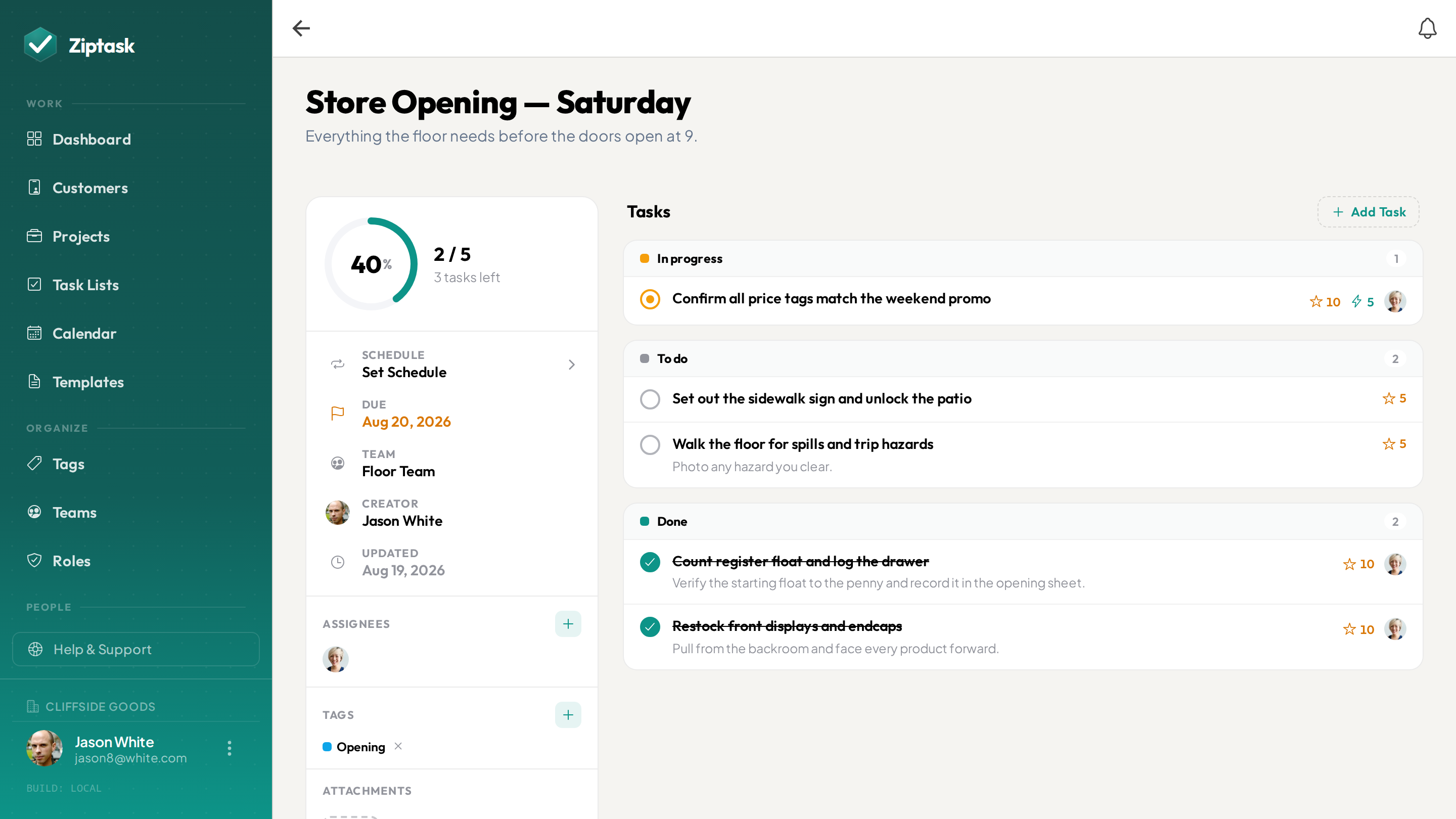
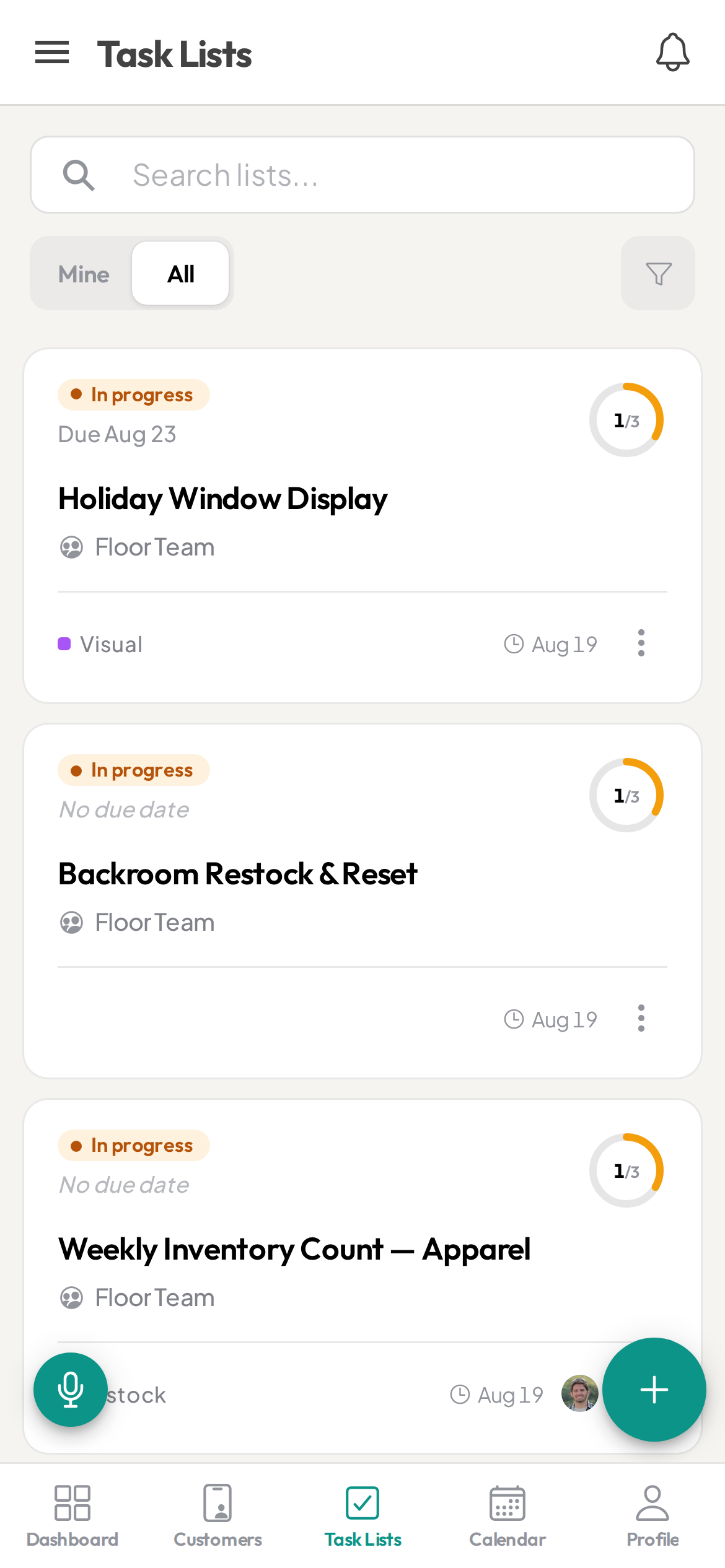
Opened at seven. Cleaned at close. Says who?
- Opening and closing run from memory — differently depending who is on
- No record of the cleaning schedule when an inspector asks to see it
- A display reset wrong, and nobody notices until the area manager visits
- Handover written on a scrap of paper by the till, then lost
- Several stores, and no way to tell which ones actually finished
Everything a shift needs — nothing it doesn’t
Start free, then unlock more as you scale. see pricing.
Proof on the jobs that matter
StarterRequire a photo before a task can be closed, so a reset display or a cleaned prep counter is documented rather than just ticked. The manager sees the shot, not only the checkmark.
Opening and closing that rebuild themselves
StarterSet the routine once and Ziptask spawns a fresh copy on your schedule — daily, weekly, biweekly or monthly. Staff open the app at the start of a shift and the list is already waiting.
Supervisor sign-off before it counts
StarterAdd an approval step so a closing routine or a hygiene check only closes once a supervisor has reviewed it — catching a missed step before the shutters come down, not the next morning.
One standard across every store
StarterSave your opening routine, cleaning schedule or seasonal reset as a template. A new site or a new starter begins from exactly the same steps as everyone else, with nothing left to memory.
Handover that is written down
Turn whatever is outstanding into a list the next shift picks up. Nothing gets passed along verbally and lost somewhere between the morning and the evening crew.
A team for each store
ProGive every location its own team. Staff see their own store’s lists and nobody else’s, while you and your area managers see every site at once from one place.
A timestamped record for inspections
BusinessEvery completion is logged with who did it and when, photos attached. Export the history to CSV when an inspector, a franchisor or head office wants to see what was done and when.
Speak the list instead of typing it
BusinessWalking the floor spotting jobs? Say them out loud and Ziptask turns them into a structured, assignable list — faster than thumbing it in behind the counter.
Stockrooms and cellars included
Back-of-house dead zones do not stop the routine. Staff keep ticking items with no connection and everything syncs the moment they are back in range. (Uploading photos needs a connection.)
Open, run, close
Set the routine once
Build your opening, closing and cleaning lists from a template — or dictate them walking the floor. Set them to repeat, and assign each to the right store or shift.
Staff work it on shift
The list is on their phone when the shift starts. They tick items as they go, add the photo where one is required, and submit. Completions show live across every store you run.
Sign off, and keep the record
A supervisor approves whatever needs approving, and every completion is stored with a name and a timestamp — ready to pull up when somebody asks to see the last three months.
Store operations FAQ
Can I require a photo before a task is marked done?
Yes. On any task you can require a photo or document before it can be submitted, and add a supervisor approval step before it officially closes — so a cleaned area or a reset display is evidenced, not just ticked off.
Can I run the same opening and closing routine in every store?
Yes. Save the routine as a template and start any store from the same steps, then set it to repeat so a fresh copy appears on schedule. Changing the template changes the standard everywhere you use it next.
Does Ziptask track inventory or connect to my POS?
No. Ziptask is a checklist and proof-of-completion tool, not an inventory or point-of-sale system. It does not hold stock counts, product data or sales figures, it does not integrate with a till, and it does not design planograms. It covers the routines around the shop — opening and closing, cleaning, resets, safety walks — and keeps a record that they were done.
Does it handle staff scheduling or rotas?
No. Ziptask assigns tasks, not shifts. It does not build rotas, track hours or handle labour costs. Use it alongside whatever you already use for scheduling — staff simply pick up the list for the shift they are on.
Can I keep a cleaning record for health inspections?
Every completed task is stored with who completed it and when, with any photos still attached, and on the Business plan you can export the full history to CSV. That gives you a record of what was cleaned and when. To be clear about what it is not: Ziptask is not a food-safety certification or a HACCP system, and it does not capture temperature readings as structured data.
Can staff see only their own store?
Yes, on the Pro plan. Create a team for each location and assign its lists to that team. Staff see their own store, while you and your area managers keep visibility across all of them.
Does it work on staff phones on the shop floor?
Yes — Ziptask has native iOS and Android apps plus a web app, with real-time sync and push notifications, so the office and the floor stay in step without anyone chasing an update.
What is the best checklist app for store operations?
The right tool lets you save an opening or closing routine as a reusable checklist, set it to repeat on a schedule, require photo proof on the steps that matter, add supervisor sign-off, and scope each store to its own team. Ziptask does all of this on iOS, Android and web, and is free to start.
How much does it cost?
Ziptask is free to start. Paid plans (Starter, Pro, Business) add photo proof, approvals, recurring lists, teams, the exportable activity record, and more as you add stores and staff.