For food trucks & trailers
Run every truck,
without being there.
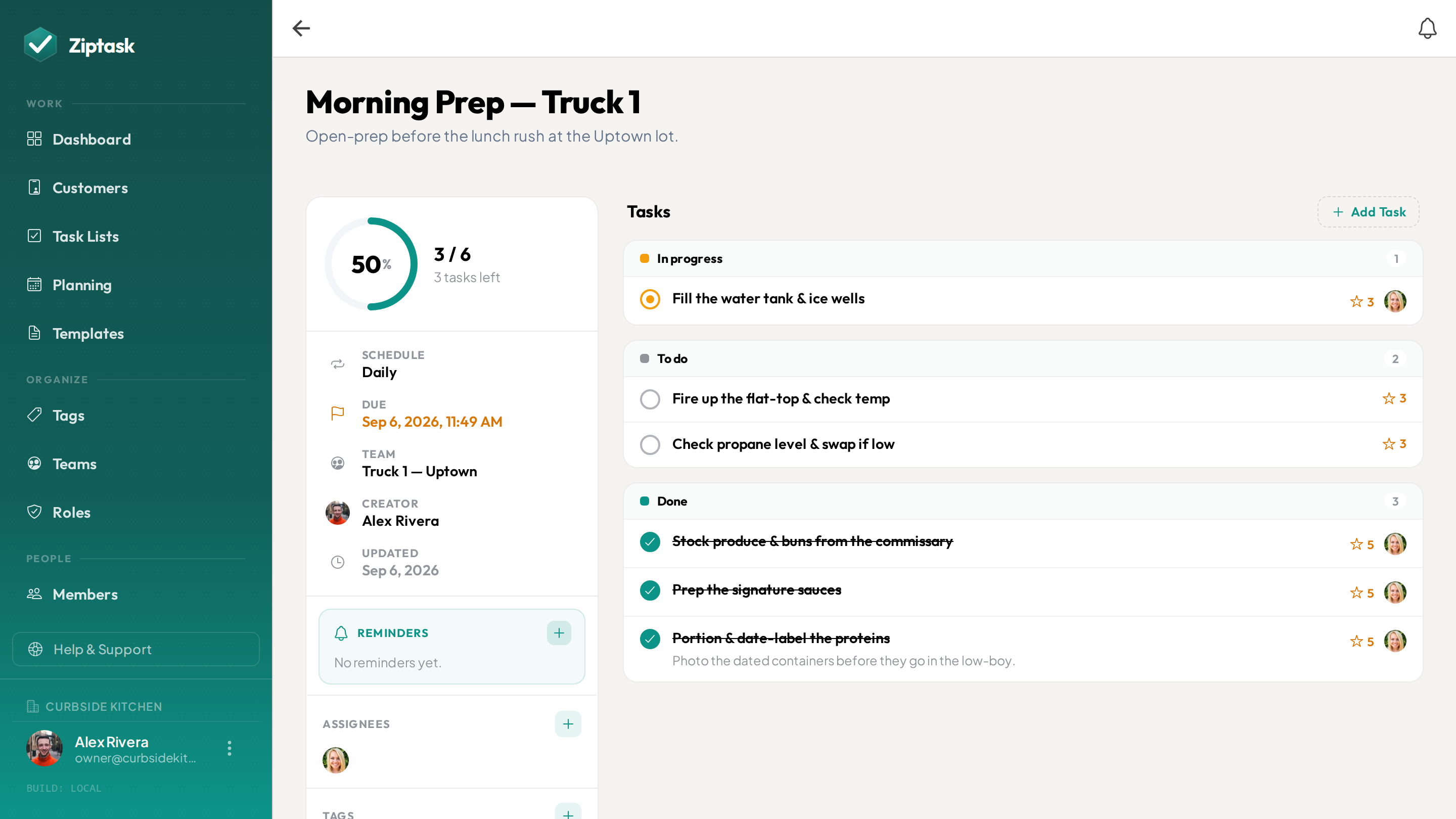
Prep, restock and close checklists that repeat on every truck — with photo proof the work actually got done. So you can start solo, add a second truck in another area, and still know it ran right, from your phone.
One truck you can run in your head. Two, you can’t.
- Prep and restock run from memory — until the day someone else is on the truck
- The commissary clean gets rushed, and no one can say what actually got done
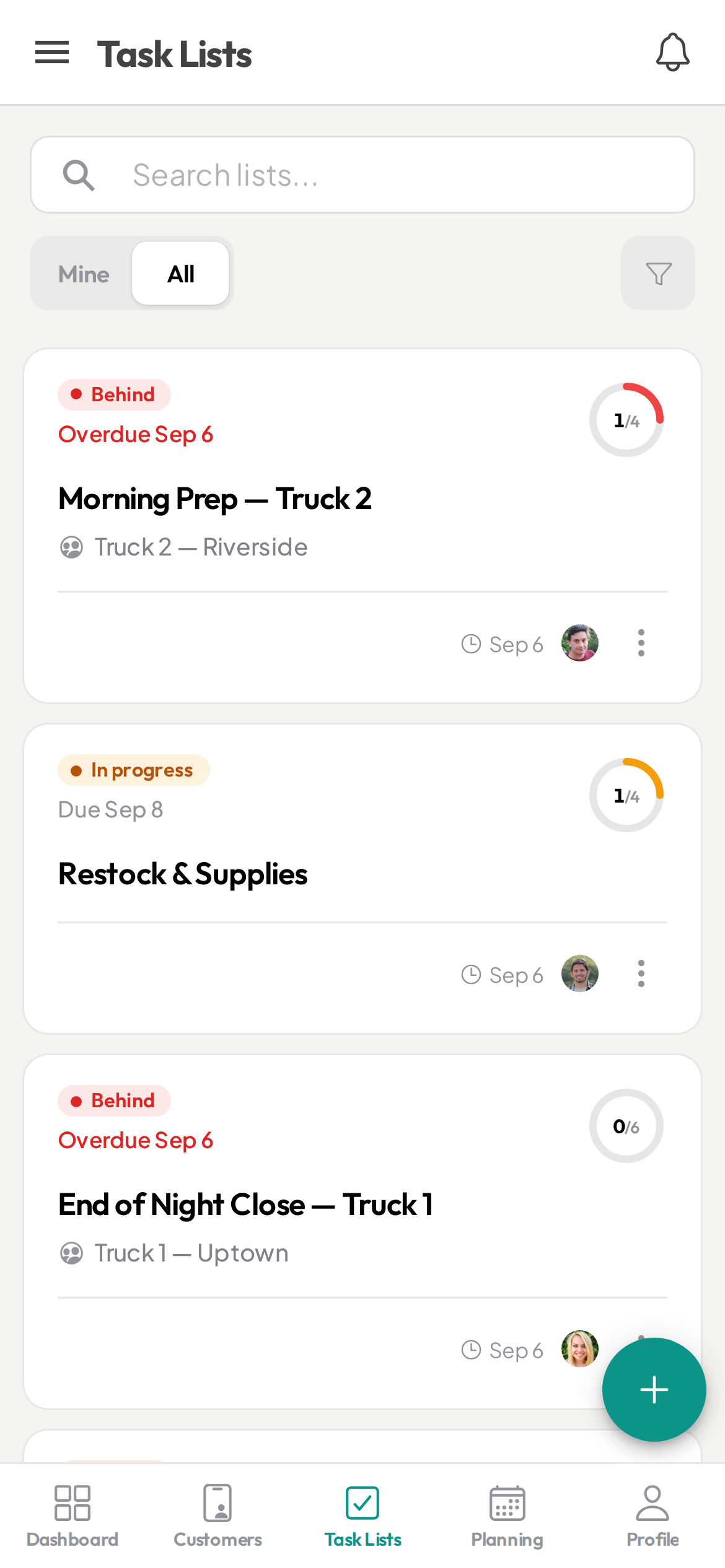
- You’re working truck one with no idea whether truck two even opened right
- The par sheet is a photo in a group chat that nobody keeps up
- You run dry on a key item mid-service because the restock never got checked
Everything one truck needs — and room for the next
Start free, then unlock more as you scale. see pricing.
Prep, restock and close that come back each day
StarterSet the truck’s open-prep, restock and end-of-night close once and Ziptask spawns a fresh copy on your schedule — every day, or only the days you trade. It’s waiting on the phone when you unlock the truck.
Restock reminders before you run dry
StarterPut the “check the low-stock list” or “order cups and gloves” task on a repeat with a reminder, so the thing you always forget at 5pm pings you in time — one less plate for a solo operator to spin.
A photo before it’s done
StarterRequire a photo before a task can be submitted — a scrubbed flat-top, a dated container, a stocked and locked truck — so it’s evidenced, not just ticked. The record keeps the photo attached.
One checklist, every truck the same
StarterSave your prep or close checklist once and start a fresh list from it in a tap. When you add a second truck, it runs the exact same routine — no re-teaching it from scratch.
Sign off before the truck rolls
StarterMark the steps you want to double-check — gas off, generator down, cash reconciled. Whoever closes submits, and it waits on your approval before the day is signed off.
The next person takes over the same list
Swapping who’s on the truck mid-day? Add them as an assignee and they pick up the very same list where it stands — the open items already there, nothing re-explained.
A second truck — its own crew and lists
ProThis is the one you grow into. Give each truck its own team: the crew sees their truck’s lists and nobody else’s, you see which trucks finished the open and which didn’t from your phone, and you can reward the crew running the truck you’re not on with points for completed work.
Cost out a festival or catering gig
BusinessGroup the prep, load-in, service and breakdown lists for a festival weekend or a private catering booking into one job. Ziptask totals the crew time — as an estimate — plus expenses, so you can see what the gig costs to run. It tracks cost, not revenue.
Speak the prep list instead of typing it
BusinessPrepping in the commissary with your hands full? Say the list out loud and Ziptask turns it into a structured, checkable list — faster than thumbing it in.
Open, serve, close — on every truck
Set the truck’s day once
Build your prep, restock and close lists from a template — or dictate them in the commissary. Set them to repeat, and assign each to the truck and the crew on it.
The crew works it on the truck
The list is on their phone when they open up. They tick items as they go, add a photo where one is required, and submit — even on a spotty festival connection, syncing when signal is back. Completions show live across every truck you run.
See it ran right — then add a truck
Approve whatever needs a check, and every completion is stored with a name and a timestamp. When you open truck two, it runs the same routine and you watch both from one phone.
Food truck FAQ
Can I run more than one truck from one account?
Yes, on the Pro plan. Give each truck its own team and assign its lists to that team — the crew sees only their truck, while you and any managers keep visibility across all of them from one place. It’s how a growing operator runs a second (or third) truck in another area without being on it.
Do the prep, restock and close lists repeat every day?
Yes. Save each routine as a template and set it to repeat, and a fresh copy appears on your schedule — every day, or only the days you trade. Whoever opens the truck finds the list already waiting on their phone.
Can I require a photo before a task is marked done?
Yes. On any task you can require a photo or document before it can be submitted, and add an approval step before it officially closes — so a cleaned flat-top or a stocked, locked truck is evidenced, not just ticked. It’s the main reason operators use it once they can’t be on every truck.
Does it work offline? Signal is bad at a lot of events.
Yes — Ziptask has native iOS and Android apps plus a web app. Your crew keeps ticking items with a poor or no connection and it syncs when they’re back in range. Uploading a photo needs a connection, so those send once signal returns.
Is this a food-safety or HACCP system? Does it log temperatures?
No. Ziptask is a checklist, proof and accountability tool — not a food-safety certification or HACCP system. A temperature or hygiene step is a photo-and-comment check, not a structured numeric reading, and there’s no sensor logging, alerting or compliance sign-off. What you get is a timestamped, photo-backed record of what was checked and when, exportable to CSV on Business, that you can show an inspector.
Does it do POS, inventory or ordering?
No. Ziptask doesn’t integrate with a till, hold stock counts, or place orders. It covers the routines around service — prep, restock checks, cleaning, open and close — and keeps a record they were done. Run it alongside whatever you use for POS and stock.
Can it schedule staff or track hours?
No. Ziptask assigns tasks, not shifts. It doesn’t build rotas, track hours or run payroll — the crew just picks up the list for the truck they’re on. Keep your existing tool for scheduling.
Can I use it for festivals or catering bookings?
Yes, on the Business plan. Group the prep, load-in, service and breakdown lists for an event into one job, and Ziptask totals the crew time as an estimate plus expenses so you can see what the gig costs to run. To be clear: it tracks cost, not revenue or margin — there’s no invoicing.
How much does it cost?
Ziptask is free to start, and the price is flat per account — not per person or per truck. Paid plans add recurring lists, photo proof and approvals (Starter), a team and reward points per truck (Pro), and festival/catering job costing, speech-to-list and the exportable record (Business). One price as you add trucks and crew.